Connect with us

Tech

Sonos Play review: The company’s best portable speaker so far
​It’s been a rough couple of years for Sonos. In mid-2024, the company released a redesigned and thoroughly busted update to its app, which Sonos owners need to set up new products, manage their speaker groups, play music and access a host of other crucial features. The fallout from that was far-reaching — the company replaced its CEO, canceled a few planned products and released no new hardware in 2025. 
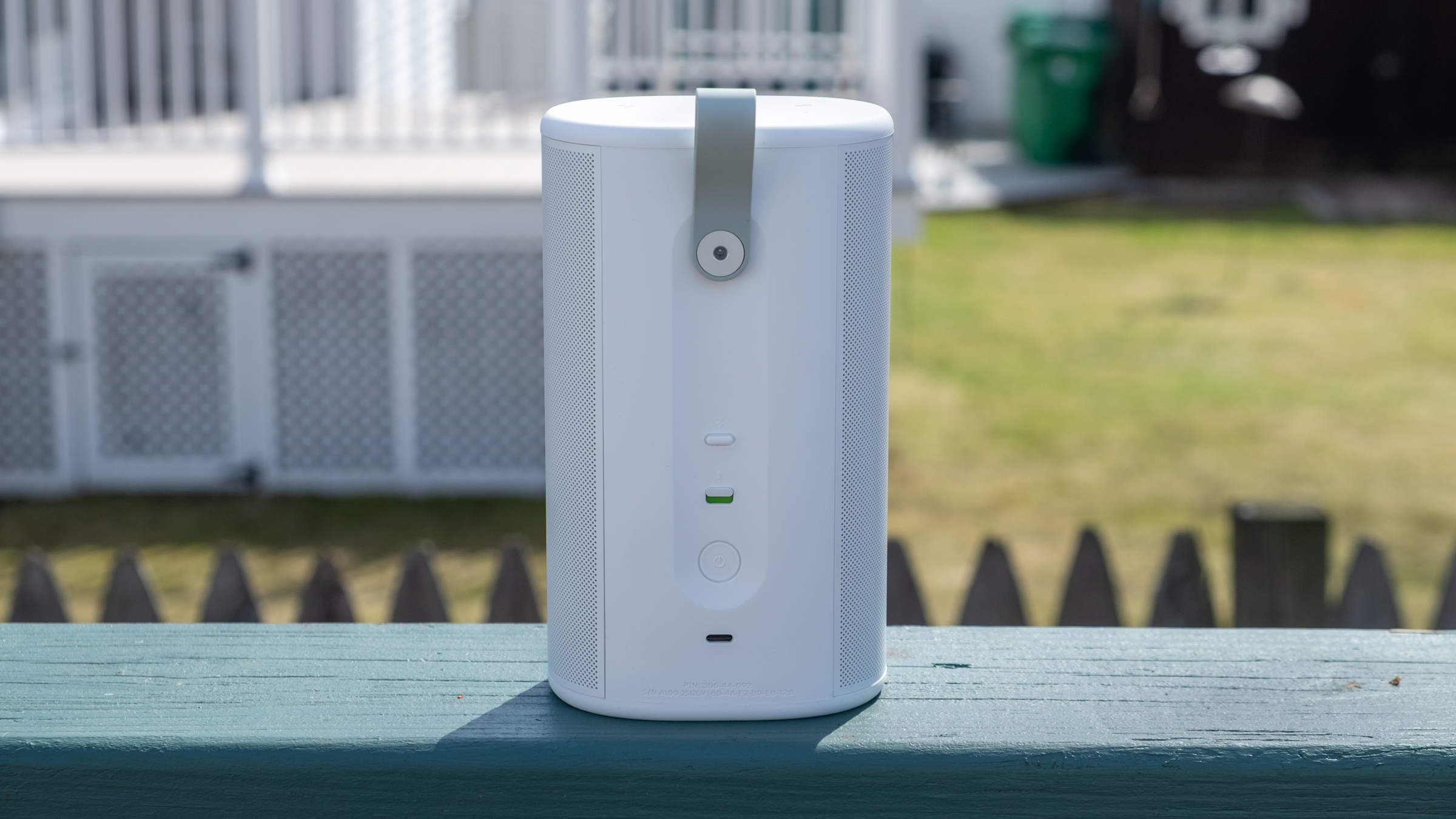
The Sonos Play, announced earlier this month, is the company’s reset button, a way to remind people what the company does well. The Play is a portable speaker that sits between the $499 Sonos Move 2 (which is large, expensive and extremely loud) and the $179 Roam 2 (the cheapest Sonos speaker and tiny enough to bring anywhere). The $299 Play sits right in the middle of the company’s portable lineup in both size and price — and after spending a few weeks listening to it, I think it’s a very smart addition to the collection. Thanks to its impressive sound quality, versatility and portability, the Play is immediately one of the best speakers Sonos sells. The timing couldn’t be better, either, with warmer weather finally on the way. 

Feature set
Like all other Sonos speakers, the Play is a Wi-Fi smart speaker that can stream audio from dozens of services; you can also play content on it via AirPlay 2, Spotify Connect and Bluetooth. The USB-C port on the back also lets you connect to turntables, CD players and other audio devices via a line-in dongle, or you can also use that port for an Ethernet connection (again with the corresponding dongle). Finally, you can also control the Play via Amazon Alexa or the Sonos Voice Assistant. And like the Roam, the Play is IP67 rated for water and dust resistance. 
That’s all standard fare at this point, but I appreciate that Sonos included Ethernet and line-in capabilities, two things the Roam doesn’t support. It makes the Play a much more versatile option for being a centerpiece of your indoor setup as well as something you can take on the go. And since the Play comes with a wireless charging base, it’s easy to keep it charged up during indoor duty and equally simple to just grab it and go without fussing with cables. (Strangely enough, it does not come with a power adapter, so you’ll need to provide your own USB-C brick.)

The real panel of the Sonos Play.

Nathan Ingraham for Engadget

Physically, the Play reminds me of the Sonos Era 100 with its width squished down to make it more portable. Unsurprisingly, it comes in the same white and black color options; I had been hoping for a few more options like the vibrant Roam colors. The one touch of color you’ll see is on the light green grab loop attached to the back; you can remove it if you’re not a fan. At 7.6 inches, it’s slightly taller than the Era 100, but it’s much thinner and lighter. Based on the initial product renders, I expected the Play to be larger than it is in reality, but it feels quite compact and  

Continue Reading
Click to comment

Leave a Reply

Your email address will not be published. Required fields are marked *

Tech

Italy vs. Northern Ireland: Watch World Cup 2026 Playoff Semifinal for Free

​The Azzurri stand in the way of Michael O’Neill’s team taking a step closer to reaching their first World Cup in 40 years.  

Continue Reading

Tech

Czech Republic vs. Republic of Ireland: Watch World Cup 2026 Playoff Semifinal for Free

​The Boys in Green travel to Prague for a do-or-die clash.  

Continue Reading

Tech

How to use Apple’s Playlist Playground to make AI-generated mixes
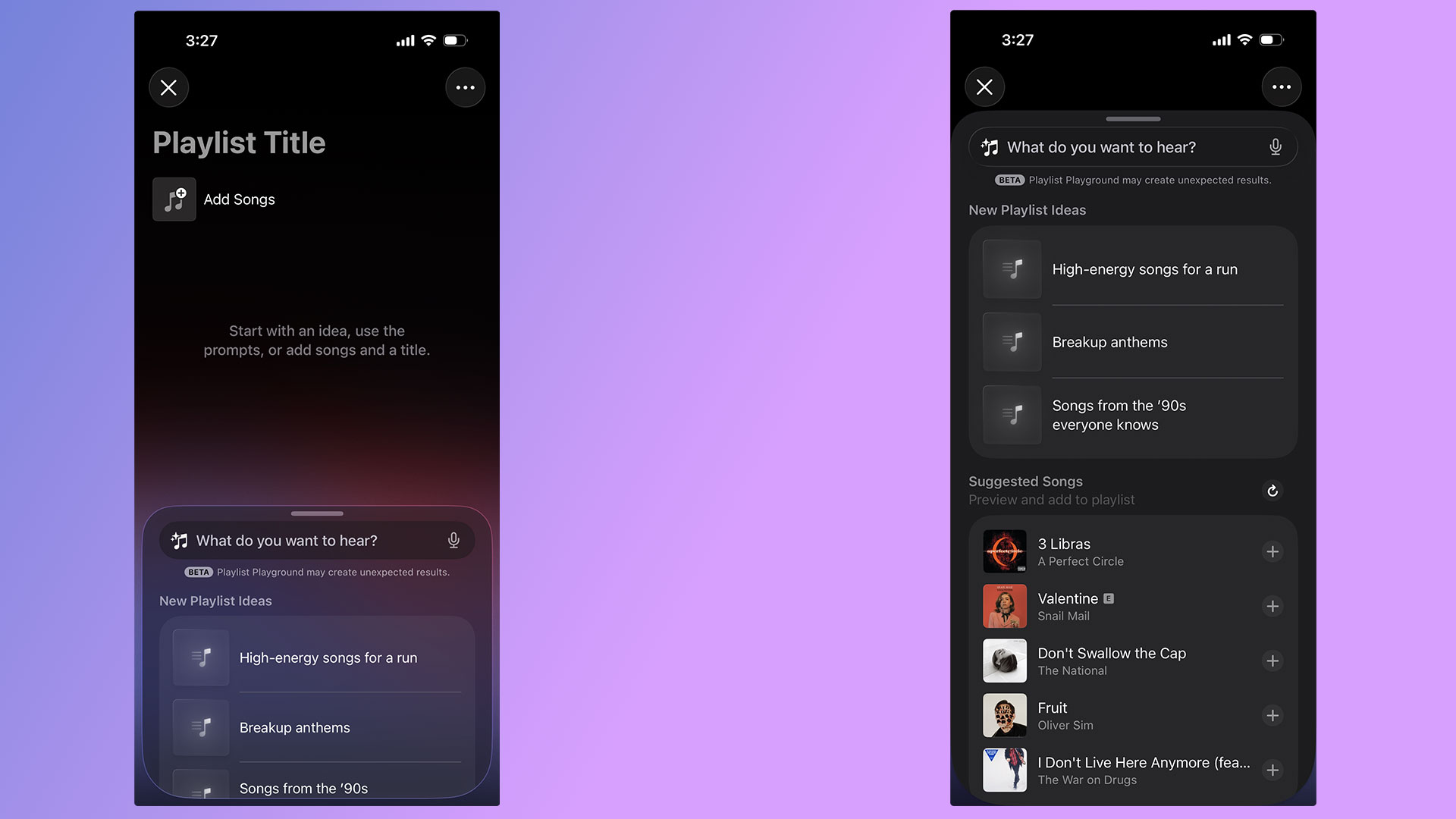
​With the release of iOS 26.4, Apple Music’s Playlist Playground can now generate playlists with the help of AI. Best of all, you don’t need an Apple Intelligence-capable iPhone to take advantage of the new feature. As long as you’re a US Apple Music subscriber with your language set to English, you can start using Playlist Playground right now. Here’s how to get started. How to create playlists using Playlist PlaygroundA pair of screenshots showing off Apple Music’s new Playlist Playground feature. Igor Bonifacic for EngadgetFor the time being, there are two ways to access Playlist Playground. For the time being, the company is highlighting the feature within the “Top Picks for You” section of Apple Music’s Home tab. If you don’t see a shortcut there, Apple integrated the feature into the app’s existing playlist creation tool. Just tap the new icon found in the Library tab. If you’re new to Apple Music, the flow looks like this: Open Apple Music. Navigate to the “Library” tab.Tap the playlist creation button.Write a prompt describing the mood or style of music you want to hear. To help people get started, Apple provides a selection of sample prompts. One pro tip: it’s possible to use metadata in conjunction with Playlist Playground. For example, after Apple Music generates a playlist, you can tell Apple’s model to edit it by removing any songs released before 2016. Of course, you’re also free to add and remove songs manually as you please. Once you’re happy with your new playlist, Apple Music treats all Playlist Playground mixes like it does any other playlist, meaning you can save it to your Library, download for offline playback, play it from your Apple Watch and share it with friends and invite them to add songs.   FAQ What Apple devices is Playlist Playground available on?  As of the writing of this article, Playlist Playground is a beta release only available to Apple Music subscribers in the US with their preferred language set to English. An iPhone or iPad running iOS 26.4, or an Apple Vision headset running visionOS 26.4 is also required.     As Apple releases the feature in more countries and languages, we’ll update this article. Is Playlist Playground available on Android?Yes, if you use Apple Music on Android, Playlist Playground is available there too.  How does Playlist Playground work?When generating mixes, Playlist Playground pulls from both trending data and your personal listening history. Along with other AI-powered Apple Music features like AutoMix and Lyrics Translation, Playlist Playground runs as part of the Apple Music service. That’s one of the reasons Apple can offer it outside of Apple Intelligence-capable devices. This article originally appeared on Engadget at https://www.engadget.com/entertainment/music/how-to-use-apples-playlist-playground-to-make-ai-generated-mixes-134500610.html?src=rss  

Continue Reading

Tech

Don’t Wait on iOS 26.4: It Might Help Your iPhone Typos
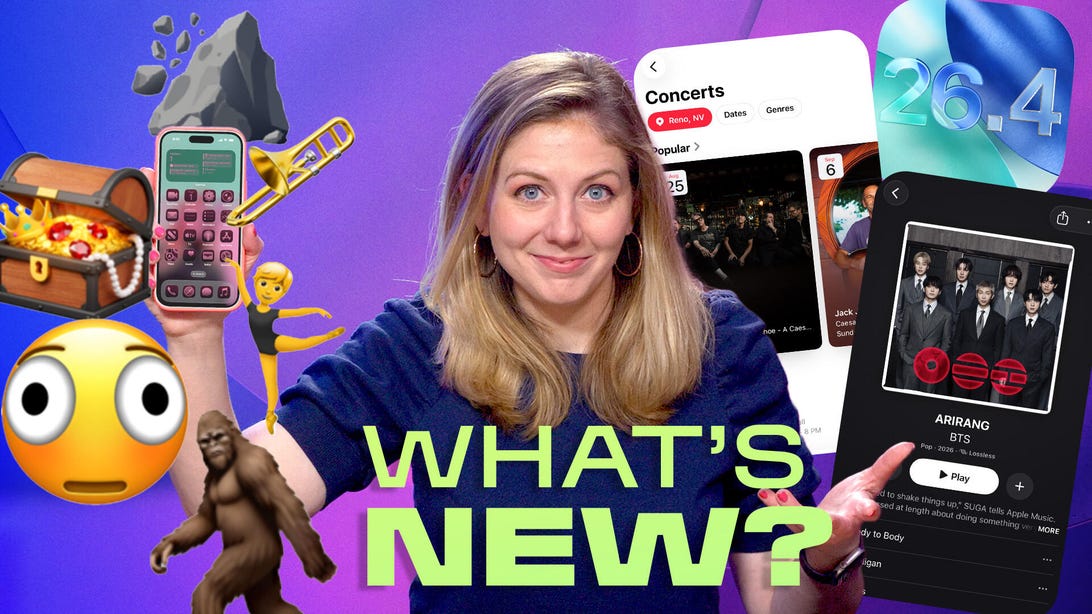
​Commentary: The new emoji are also fun. But I’m more into the Apple Music updates.  

Continue Reading

Tech

A Humanoid Robot Visits the White House to Push AI for Teaching Kids

​First lady Melania Trump shares the spotlight with a Figure 03 robot to promote the use of artificial intelligence in education.  

Continue Reading

Latest News

Politics2 hours ago

Noida airport to be game changer for UP economy, says govt ahead of March 28 inauguration

 According to the statement, the airport will have an annual capacity of handling around seven crore passengers and nearly 10...

Sports2 hours ago

Fortnite x Payday collaboration could happen in the near future

​A Fortnite x Payday collaboration could be around the corner, and this is not based on hearsay, but rather a...

Sports2 hours ago

Who is Ben Azelart? Sidemen Inside member claims he made $1.2 million from single YouTube video

​Sidemen Inside member Jack recently shared a clip from the opening episode of Sidemen Inside Season 3, spotlighting a striking...

Sports2 hours ago

“F*cking diss track of the universe is coming your way”: Joe Rogan warns Travis Kelce about Taylor Swift spotlight as wedding buzz grows

​Travis Kelce and Taylor Swift’s wedding has been the topic of conversation since the couple announced their engagement in August.  

Sports2 hours ago

Congratulations to AEW star Ricochet

​Wrestling star Ricochet and former wrestling announcer Samantha Irvin are one of the most popular wrestling couples. The high-flying superstar...

Sports2 hours ago

All arrow types in Crimson Desert and where to find them 

​If you’re wondering where to find every single arrow type in Crimson Desert, then we’ve got you covered.  

Sports2 hours ago

Destiny: Rising Efrideet character guide- Skills, super, role, and weapon mastery explained

​Efrideet has arrived as a new playable character in Destiny: Rising.  

Sports2 hours ago

Angel Reese drops 2-word reaction to brother Jullian Reese’s monster double-double performance

​Angel Reese dropped a two-word reaction to brother Julian Reese’s double-double performance in a 133-110 win over the Utah Jazz...

Sports2 hours ago

LEAKED VIDEO: Puka Nacua’s accuser Madison Atiabi twerks to sleeping Rams WR during night of alleged “biting” incident

​Puka Nacua’s video with two women has gone viral on Instagram.  

Sports2 hours ago

Cardinals vs. Rays preview: Odds, Predictions, Betting Tips & Starting lineups | March 26; MLB 2026 Season

​The St. Louis Cardinals begin their 2026 MLB season on Thursday, hosting the Tampa Bay Rays at Busch Stadium.  

Trending News

Join Our Newsletter

Stay updated with breaking news and exclusive content.